Bug and Crash Reporting with Bugsee
Dejan Agostini

Trying to reproduce a crash your customers are having can be a challenging task. You might spend days trying to figure out what exactly happened that caused the app to crash. I stumbled upon a great tool that helps you do exactly that, bugsee. In this article we'll go over the basic features of bugsee, and see what it can do for you.
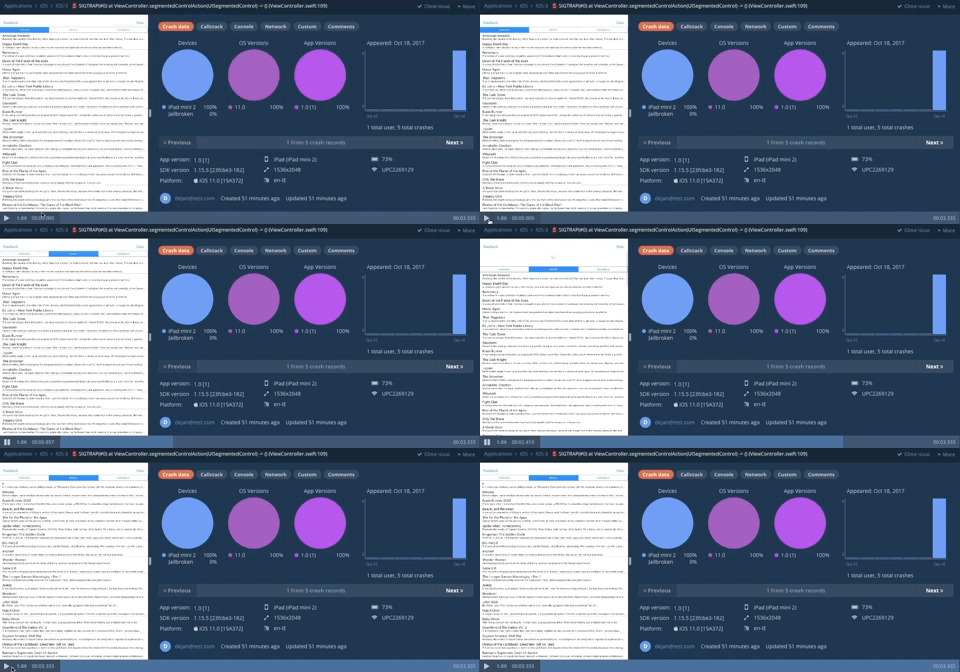 Pretty cool, isn't it :)
You get basic analytics attached to every crash (app/os versions, device...) and the standard stack trace. Apart from that, you get your full console output, and the networking requests. Having your console output and networking requests attached to the crash is pretty damn useful. You can even copy the curl of your networking requests so you can execute the exact request from your terminal. There's a nice timeline view when you play your crash video. You can see your cpu load and the networking requests on it.
You can also send custom data with every crash. For example, you can send a user name and id of the currently logged in user:
Pretty cool, isn't it :)
You get basic analytics attached to every crash (app/os versions, device...) and the standard stack trace. Apart from that, you get your full console output, and the networking requests. Having your console output and networking requests attached to the crash is pretty damn useful. You can even copy the curl of your networking requests so you can execute the exact request from your terminal. There's a nice timeline view when you play your crash video. You can see your cpu load and the networking requests on it.
You can also send custom data with every crash. For example, you can send a user name and id of the currently logged in user:
Crash Reporting
There certainly are more than a few crash/bug reporting tools out there. One notable tool is crashlytics. What makes bugsee stand out is the extra goodies you get with it. Collecting crash reports is a given, apart from that bugsee actually records up to last 60 seconds prior to your crash, and attaches that video to the crash report. If you ever had to sift through a bunch of stack traces and tried to figure out what the user was doing you'll really appreciate this feature. I was pleasantly surprised how well this works. Check it out on the example below:
Pretty cool, isn't it :)
You get basic analytics attached to every crash (app/os versions, device...) and the standard stack trace. Apart from that, you get your full console output, and the networking requests. Having your console output and networking requests attached to the crash is pretty damn useful. You can even copy the curl of your networking requests so you can execute the exact request from your terminal. There's a nice timeline view when you play your crash video. You can see your cpu load and the networking requests on it.
You can also send custom data with every crash. For example, you can send a user name and id of the currently logged in user:
Bugsee.setAttribute("userID", value: "1234")
Bugsee.setAttribute("userName", value: "Dejan")
You can also set your user email, if you have it:
Bugsee.setEmail("dejan@test.com")
You can filter your crash reports based on your custom data and user emails.
 You can see the reported bug in your dashboard, and you will have access to your console output, networking and custom data:
 This is a great little feature that will help your customers (and your dev ops team) report issues with your app other than crashes.
 You can respond to the messages from your users from the bugsee web interface.
These are the basic features you get with bugsee, you can check out the rest here.
You can respond to the messages from your users from the bugsee web interface.
These are the basic features you get with bugsee, you can check out the rest here.
Bug Reporting
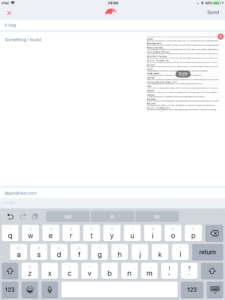
Your users have the ability to report bugs from within the app. This feature is enabled by default. Every time your users take a screenshot a modal dialog pops up where your users can quickly describe the issue they're having. They can then send the bug to you along with the attached video of what they were doing:
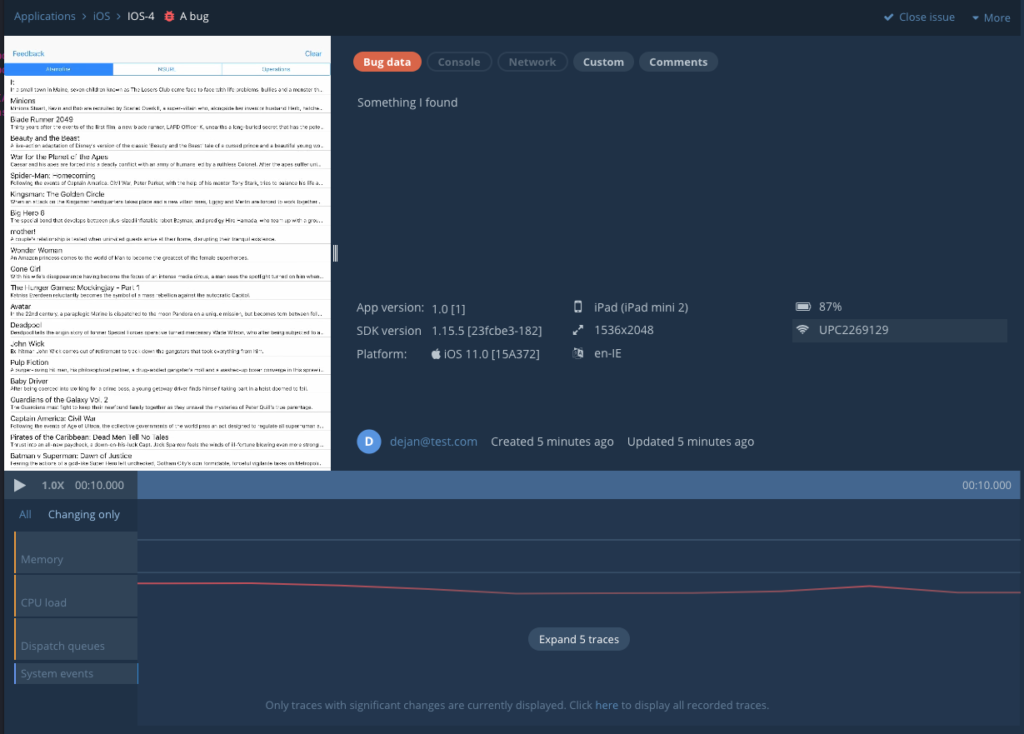
You can see the reported bug in your dashboard, and you will have access to your console output, networking and custom data:
This is a great little feature that will help your customers (and your dev ops team) report issues with your app other than crashes.
User Feedback
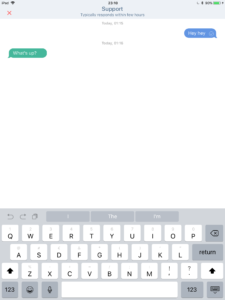
You have the ability to engage your users and give them the opportunity to provide you with some feedback, You will get a chat-like interface where your users can send you messages and you can reply to them in real-time:
You can respond to the messages from your users from the bugsee web interface.
These are the basic features you get with bugsee, you can check out the rest here.