iOS Application Security Part Three – Bypassing (Jailbreak and Certificate Pinning) Let the Right One In.
Liban Mohamud
Welcome to my third article on “iOS Application Security Testing Series”. You can find Part Two here.
In this article, we will look at applications that use Jailbreak Detection and Certificate Pinning as defenses – and how they can be bypassed. Is it a good idea to block execution on jailbroken or rooted devices? There is of course not a satisfactory answer to the question, and it depends on the app's purpose and the information it handles (e.g. banks looking to add an extra layer of security) but one reason I have seen is application defects. So instead of fixing the problem, a blanket block policy is applied on all jailbroken device, regardless of malicious intent.
This is not an effective defense: checks need to be spread throughout the app to improve the effectiveness of the overall anti-tampering scheme.
Understanding Jailbreak Detection
For the most part, jailbreak detection procedures are a lot less sophisticated that one might imagine. While there are countless ways apps can implement checks for jailbroken devices, they typically boil down to the detecting of files and directories associated with jailbreaks, such as /bin/bash or /Applications/Cydia.app, or inspect File Permissions by attempting to create a file in, for example, the /private directory. If the file is successfully created, it means the device is jailbroken or checking Protocol Handlers like Cydia://
if([[UIApplication sharedApplication] canOpenURL:[NSURL URLWithString:@"Cydia://package/com.example.package"]])
By checking the exit status of fork() reading-through the returned pid on fork(), an app can detect if it has successfully forked. If the fork is successful, the app can deduce that it is running on a jailbroken device. There are some more advanced methods as well such as checking the existence of certain known dylib’s too (which is the hardest to circumvent). The best graphical details of the techniques can be found here but for this post, I’d like to go with a real-world application “Twitter” and show the techniques mentioned.
Disclaimer
Twitter has a bounty program under https://hackerone.com/twitter so bounty rules apply.
Is it a good idea to block execution on jailbroken or rooted devices? There is of course not a satisfactory answer to the question, and it depends on the app's purpose and the information it handles (e.g. banks looking to add an extra layer of security) but one reason I have seen is application defects. So instead of fixing the problem, a blanket block policy is applied on all jailbroken device, regardless of malicious intent.
This is not an effective defense: checks need to be spread throughout the app to improve the effectiveness of the overall anti-tampering scheme.
Understanding Jailbreak Detection
For the most part, jailbreak detection procedures are a lot less sophisticated that one might imagine. While there are countless ways apps can implement checks for jailbroken devices, they typically boil down to the detecting of files and directories associated with jailbreaks, such as /bin/bash or /Applications/Cydia.app, or inspect File Permissions by attempting to create a file in, for example, the /private directory. If the file is successfully created, it means the device is jailbroken or checking Protocol Handlers like Cydia://
if([[UIApplication sharedApplication] canOpenURL:[NSURL URLWithString:@"Cydia://package/com.example.package"]])
By checking the exit status of fork() reading-through the returned pid on fork(), an app can detect if it has successfully forked. If the fork is successful, the app can deduce that it is running on a jailbroken device. There are some more advanced methods as well such as checking the existence of certain known dylib’s too (which is the hardest to circumvent). The best graphical details of the techniques can be found here but for this post, I’d like to go with a real-world application “Twitter” and show the techniques mentioned.
Disclaimer
Twitter has a bounty program under https://hackerone.com/twitter so bounty rules apply.
 Bypassing Jailbreak Detection

 Let us just run Clutch -b 2 command to proceed.
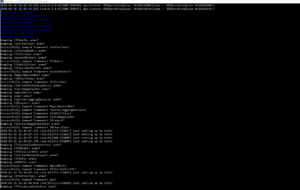 After Clutch decrypts, we can easily load the binary into a disassembler, e.g., IDA Pro or an awesome disassembler called Hopper, to identify methods of interest.
Technique for Dumping Class Information
Normally using class-dump-z on the application's decrypted binary will dump all of the header files. Occasionally, these contain "giveaway" method names, like "deviceIsJailbroken" or "checkDeviceSecurity."
To find the decrypted binary just run the find command as following: “find -name *Twitter “and as you can see in the picture below there are two interesting directories in the /tmp/Clutch
After Clutch decrypts, we can easily load the binary into a disassembler, e.g., IDA Pro or an awesome disassembler called Hopper, to identify methods of interest.
Technique for Dumping Class Information
Normally using class-dump-z on the application's decrypted binary will dump all of the header files. Occasionally, these contain "giveaway" method names, like "deviceIsJailbroken" or "checkDeviceSecurity."
To find the decrypted binary just run the find command as following: “find -name *Twitter “and as you can see in the picture below there are two interesting directories in the /tmp/Clutch
 We found the application locations in ./tmp/clutch/B277F488-E9E8-446C-8915-0077C0068E48/com.atebits.Tweetie2/Twitter and./tmp/clutch/B277F488-E9E8-446C-8915-0077C0068E48/com.atebits.Tweetie2.t1twitter/T1Twitter
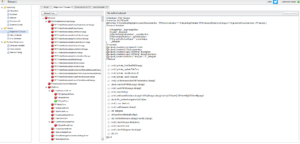
Here is the anti-tampering defence message I got when I ran class-dump 😊
We found the application locations in ./tmp/clutch/B277F488-E9E8-446C-8915-0077C0068E48/com.atebits.Tweetie2/Twitter and./tmp/clutch/B277F488-E9E8-446C-8915-0077C0068E48/com.atebits.Tweetie2.t1twitter/T1Twitter
Here is the anti-tampering defence message I got when I ran class-dump 😊 But it can easily be bypassed using Snoop-it or Class-dump-z.
 Techniques showed above are very convenient and gives one a deeper understanding but nowadays, anyone can install third-party apps on emulators without having to use the date trick to bypass Apple’s restrictions. Thanks to Nintendo’s there are several working Nintendo DS emulators available here, though still at an early stage No jailbreak is required.Really!
Certificate Pinning What is It?
Techniques showed above are very convenient and gives one a deeper understanding but nowadays, anyone can install third-party apps on emulators without having to use the date trick to bypass Apple’s restrictions. Thanks to Nintendo’s there are several working Nintendo DS emulators available here, though still at an early stage No jailbreak is required.Really!
Certificate Pinning What is It?
 Certificate pinning is hardcoding or storing the information for digital certificates/public keys in a mobile application. By default, when making a TLS connection, client checks that the server’s certificate:

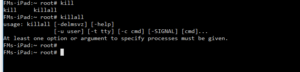 This works great against Twitter and even goes deeper when intercepting system daemons like accountsd.
Conclusion
In this article, we looked at applications that use Jailbreak Detection and Certificate Pinning as defenses – and how they can be bypassed.
How Do I Prevent and what are the Best Practices (Taken from Owasp 2016-M9 )
Default classes in the latest version of iOS handle SSL cipher strength negotiation very well. Trouble comes when developers temporarily add code to bypass these defaults to accommodate development hurdles. In addition to the above general practices:
This works great against Twitter and even goes deeper when intercepting system daemons like accountsd.
Conclusion
In this article, we looked at applications that use Jailbreak Detection and Certificate Pinning as defenses – and how they can be bypassed.
How Do I Prevent and what are the Best Practices (Taken from Owasp 2016-M9 )
Default classes in the latest version of iOS handle SSL cipher strength negotiation very well. Trouble comes when developers temporarily add code to bypass these defaults to accommodate development hurdles. In addition to the above general practices:
Is it a good idea to block execution on jailbroken or rooted devices? There is of course not a satisfactory answer to the question, and it depends on the app's purpose and the information it handles (e.g. banks looking to add an extra layer of security) but one reason I have seen is application defects. So instead of fixing the problem, a blanket block policy is applied on all jailbroken device, regardless of malicious intent.
This is not an effective defense: checks need to be spread throughout the app to improve the effectiveness of the overall anti-tampering scheme.
Understanding Jailbreak Detection
For the most part, jailbreak detection procedures are a lot less sophisticated that one might imagine. While there are countless ways apps can implement checks for jailbroken devices, they typically boil down to the detecting of files and directories associated with jailbreaks, such as /bin/bash or /Applications/Cydia.app, or inspect File Permissions by attempting to create a file in, for example, the /private directory. If the file is successfully created, it means the device is jailbroken or checking Protocol Handlers like Cydia://
if([[UIApplication sharedApplication] canOpenURL:[NSURL URLWithString:@"Cydia://package/com.example.package"]])
By checking the exit status of fork() reading-through the returned pid on fork(), an app can detect if it has successfully forked. If the fork is successful, the app can deduce that it is running on a jailbroken device. There are some more advanced methods as well such as checking the existence of certain known dylib’s too (which is the hardest to circumvent). The best graphical details of the techniques can be found here but for this post, I’d like to go with a real-world application “Twitter” and show the techniques mentioned.
Disclaimer
Twitter has a bounty program under https://hackerone.com/twitter so bounty rules apply.
Bypassing Jailbreak Detection
- The application closes immediately without any notification
- There is a popup window indicating that the application won't run on a jailbroken device
Let us just run Clutch -b 2 command to proceed.
After Clutch decrypts, we can easily load the binary into a disassembler, e.g., IDA Pro or an awesome disassembler called Hopper, to identify methods of interest.
Technique for Dumping Class Information
Normally using class-dump-z on the application's decrypted binary will dump all of the header files. Occasionally, these contain "giveaway" method names, like "deviceIsJailbroken" or "checkDeviceSecurity."
To find the decrypted binary just run the find command as following: “find -name *Twitter “and as you can see in the picture below there are two interesting directories in the /tmp/Clutch
We found the application locations in ./tmp/clutch/B277F488-E9E8-446C-8915-0077C0068E48/com.atebits.Tweetie2/Twitter and./tmp/clutch/B277F488-E9E8-446C-8915-0077C0068E48/com.atebits.Tweetie2.t1twitter/T1Twitter
Here is the anti-tampering defence message I got when I ran class-dump 😊
But it can easily be bypassed using Snoop-it or Class-dump-z.
Techniques showed above are very convenient and gives one a deeper understanding but nowadays, anyone can install third-party apps on emulators without having to use the date trick to bypass Apple’s restrictions. Thanks to Nintendo’s there are several working Nintendo DS emulators available here, though still at an early stage No jailbreak is required.Really!
Certificate Pinning What is It?
Certificate pinning is hardcoding or storing the information for digital certificates/public keys in a mobile application. By default, when making a TLS connection, client checks that the server’s certificate:
- Has a verifiable chain of trust back to a trusted (root) Certificate.
- Matches the requested hostname.
How to install
Download and copy the Debian package to the device; install it as followed:
This works great against Twitter and even goes deeper when intercepting system daemons like accountsd.
Conclusion
In this article, we looked at applications that use Jailbreak Detection and Certificate Pinning as defenses – and how they can be bypassed.
How Do I Prevent and what are the Best Practices (Taken from Owasp 2016-M9 )
Default classes in the latest version of iOS handle SSL cipher strength negotiation very well. Trouble comes when developers temporarily add code to bypass these defaults to accommodate development hurdles. In addition to the above general practices:
- Ensure that certificates are valid and fail closed.
- When using CFNetwork, consider using the Secure Transport API to designate trusted client certificates. In almost all situations, NSStreamSocketSecurityLevelTLSv1 should be used for higher standard cipher strength.
- After development, ensure all NSURL calls (or wrappers of NSURL) do not allow self-signed or invalid certificates such as the NSURL class method setAllowsAnyHTTPSCertificate.
- Consider using certificate pinning by doing the following: export your certificate, include it in your app bundle, and anchor it to your trust object. Using the NSURL method connection:willSendRequestForAuthenticationChallenge: will now accept your cert